The price of a running Fly Machine VM is the price of a named CPU/RAM preset, plus about{" "}
{formatPerMonth(BASELINE_RAM_PRICE_PER_30_DAYS * region.markup)} per 30 days per GB of additional RAM.
Here’s the pricing for named presets and a few standard additional RAM configurations:
;
};
## How it works
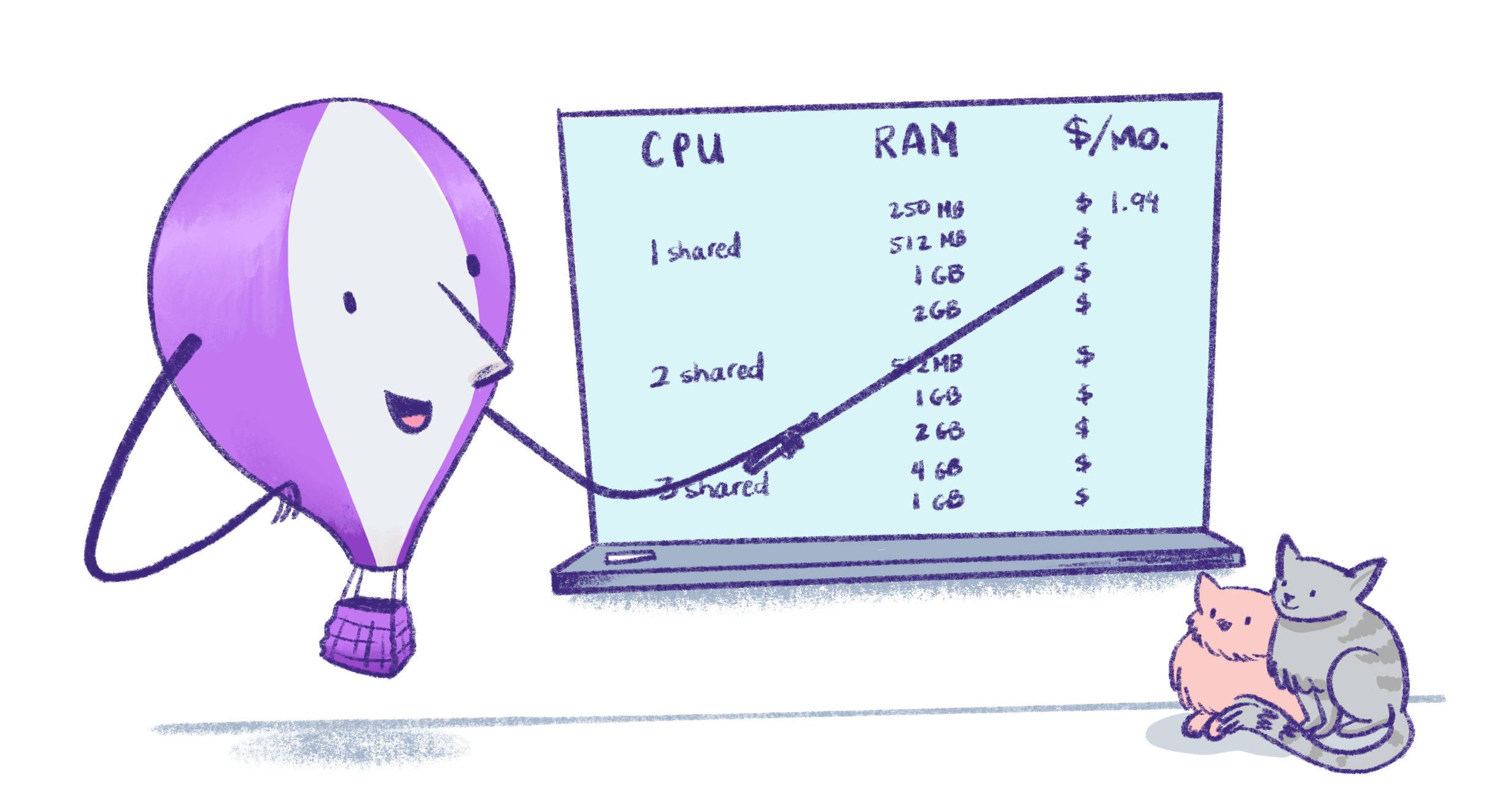
Fly.io services are billed per organization, with [Linked Organizations](/about/billing#unified-billing) reporting resource usage to their parent Billing Organization. Plans get complicated, so we just charge based on usage. Pick and choose which pieces you need for your application; that's all you'll see on your invoice.
Organizations are administrative entities on Fly.io that let you add members, share app development environments, and manage billing. [Billing](/about/billing) is based on the resources provisioned for your apps, pro-rated for the time they are provisioned.
Organizations may be subject to automated scaling limits to prevent abuse or to help with capacity planning. Email the address in the error message if you run into such a limit and it's getting in your way.
All organizations (except for Linked Organizations) require a [credit card](/about/billing#payment-options) on file.
## Compute
We charge for started and stopped Machines differently. For more details about how costs are calculated, see [Machine billing](/about/billing#machine-billing). To understand the difference between `performance` and `shared` CPU types in Machines, see [CPU performance](/machines/cpu-performance).
### Started Fly Machines
### Stopped Fly Machines
For stopped Machines we charge only for the root file system (rootfs) needed for each Machine. Each 1GB of rootfs for a Machine stopped for 30 days is \$0.15. The amount of rootfs needed is defined by your OCI image generated on your app plus a few [containerd](https://containerd.io/) tweaks on the underlying file system.
### Machine reservation blocks
You'll get a 40% discount when you reserve a block of compute time, either for `performance` Machines or `shared` Machines, in a specific region.
Reservations apply to any number of Machines of the specified CPU class, in the specified region, in any of your organisation's apps.
The available reservation sizes are:
**Performance Machines**
* \$144/year for \$20/month of usage
* \$1,440/year for \$200/month of usage
* \$14,400/year for \$2,000/month of usage
**Shared Machines**
* \$36/year for \$5/month of usage
* \$360/year for \$50/month of usage
* \$3,600/year for \$500/month of usage
You pay the "per year" amount upfront, and each month receive a credit worth the "per month" amount. The credit does not rollover; it's only valid for the month in which it's granted. The credit applies only to CPU and additional RAM charges.
There's no limit on the number or combinations of blocks that can be purchased. Reservations are backdated to the first day of the month in which they're purchased.
For example, if you purchase a \$36/year `shared` Machines block in `cdg`, you'll pay \$36 upfront and receive \$5/month of credits applicable to `shared` Machines in `cdg` for 12 months, starting with the month of the purchase. Amortised over 12 months, the \$36 upfront cost is \$3/month, which is a 40% discount on the \$5/month of credits you receive.
You can set up reservations via self-service in the billing section of your Fly.io [dashboard](https://fly.io/dashboard). They apply to usage starting on the 1st, so setting up reservations any time in the month will give you the credits the entire month.
## Managed Postgres
The price of running Fly.io Managed Postgres depends on your selected Managed Postgres Plan and the amount of storage your Postgres cluster has.
Current pricing for Managed Postgres plans and storage is available [here](/mpg#pricing).
**Important:** Managed Postgres lives outside your apps. Deleting an app won’t delete its database. Have a look in your Dashboard when you're cleaning up. A quick check can save you a surprise charge later.
## Persistent Storage Volumes
### Volumes
[Fly Volumes](/volumes) are local persistent storage for Machines.
* \$0.15/GB per month of provisioned capacity
[Volume billing](/about/billing#volume-billing) is pro-rated to the hour.
You'll be charged for volumes that you create, whether they are attached to a Machine or not, including when an attached Machine is stopped.
### Volume Snapshots
**New charges**
Starting January 1st 2026, we're introducing charges for [volume snapshot](/volumes/snapshots) storage. You'll see the first charges on the invoice issued at the start of February 2026.
If you're an existing customer, you can check your usage in the **Billing** section of the [dashboard](https://fly.io/dashboard/personal/billing) on your Upcoming Invoice and in the Cost Explorer.
* \$0.08/GB per month
* First 10GB free each month
[Volume Snapshot billing](/about/billing#volume-snapshot-billing) is pro-rated to the hour.
Automatic daily snapshots with 5 days retention are enabled by default on new volumes. This can be [adjusted](/volumes/snapshots#set-or-change-the-snapshot-retention-period) or [disabled](/volumes/snapshots#disable-automatic-daily-snapshots).
Usage is calculated based on the total stored size of the snapshots, not the provisioned volume size. You're only charged for the actual data stored - if you've written 1GB to a 10GB volume, you'll be charged for around 1GB of snapshot storage.
Snapshots for each volume are stored incrementally, so you'll only be charged for data that has changed since the previously stored snapshot.
## Network prices
### Anycast IP addresses
Each application receives a [shared IPv4 address](/networking/services#shared-ipv4) and unlimited [Anycast IPv6](/networking/services#ipv6) addresses for global load balancing.
Dedicated IPv4 addresses are \$2/mo.
### Managed SSL certificates
We use Let's Encrypt to issue certificates, and donate half of our SSL fees to them at the end of each calendar year.
* Single hostname certificates: \$0.10/mo
* Wildcard certificates: \$1/mo
Every organization's first 10 single hostname certificates are free.
### Data transfer pricing
We bill for data leaving your app destined for the public internet or for apps or Machines in other regions, including:
* Data egress to the Internet, from Machine to edge server to Internet
* Data transfer over private network between regions, from Machine to edge server and edge server to Machine
* Data transfer to some extensions like Upstash Redis
The following types of traffic are free:
* All inbound data transfer
* Data transfer between apps or Machines in the same region (for organizations using granular data transfer rates)
* Data transfer from apps without an assigned IP address (for organizations not using granular data transfer rates)
Fly.io pricing is per region group for outbound data transfer. You'll see a more detailed breakdown of cost per region and per traffic type on your monthly invoice.
**Important:** Organizations created after July 18 2024 are automatically opted-in to use the granular data transfer rates and are billed at a different rate for private network data transfer between regions, per the following table. Organizations not using granular data transfer rates are billed for all data transfer (excluding that listed as free above) at the "Egress to public internet" rate.
| Region groups | Egress to public internet cost | Private network cross-region transfer cost |
| -------------------------------------------------- | ------------------------------ | ------------------------------------------ |
| - North America - Europe | \$0.02 per GB | \$0.006 per GB |
| - Asia Pacific - Oceania - South America | \$0.04 per GB | \$0.015 per GB |
| - Africa - India | \$0.12 per GB | \$0.050 per GB |
To opt-in to granular bandwidth pricing, go to the [**Organizations** page](https://fly.io/organizations) in the dashboard, click the organization name to change, then click **Switch to granular bandwidth pricing**. You won't be able to return to using the non-granular data transfer rates once you opt in.
### Static Egress IPs for Machines
Static egress IPs for Machines provide dedicated outbound IP addresses for your Machines. When you allocate a static egress IP, you'll get both an IPv4 and IPv6 address for this single price.
* \$0.005 per hour (\~\$3.60/month)
* Machines do not have a static IP by default
## Support
[Community support](https://community.fly.io/) is included for all customers, regardless of usage level.
You can get access to a support plan by purchasing a Standard (\$29/month), Premium (\$199/month), or Enterprise (starting at \$2500/month) package in the **Support** section of your dashboard. For more about Support, see [Support at Fly.io](/about/support).
## Fly Kubernetes
[Fly Kubernetes](/kubernetes) (FKS) is a managed Kubernetes service that runs on Fly.io.
* \$75/month per cluster
* Plus the cost of [compute](#compute) and [Fly volumes](#persistent-storage-volumes) that you create
## Extensions
Fly.io offers managed services operated by third parties, such as [Tigris Object Storage](/tigris) and [Upstash Redis](/upstash/redis).
When you provision their services, you become their customer, and you pay their list prices via your monthly Fly.io bill. Charges are updated daily in your Fly.io dashboard.
You will not be billed separately for:
* Machines running the services, which are hosted in the provider's account
* IP addresses associated with the service
You **will** be billed separately for data transfer to these external third-party services, including Tigris Object Storage. See our [data transfer pricing](#data-transfer-pricing) for details.
## Unsupported Products
### Unmanaged Fly Postgres (Unsupported)
[Fly Postgres](/postgres) is a PostgreSQL database that you create and then manage yourself. Fly Postgres clusters are Fly Apps that consist of Machines, volumes, and any configured extra memory.
The [Machine price](#compute) and [volume price](#persistent-storage-volumes) for Fly Postgres are the same as any other Machine and volume you'd run on Fly.io. Assuming the Machines are running all the time, the cost for the preset configurations is about \$2/month for a single node cluster for dev projects and from about \$82 to \$164/month for a three-node production cluster. You don't need to keep the preset configurations, you can [scale your Fly Postgres Machines](/postgres/managing/scaling) to suit your workload at any time.
## Legacy plans
On a legacy plan and wondering what that includes? Read more about [Discontinued Plans](/about/discontinued-plans).
## **Related reading**
* [Billing for Fly.io](/about/billing) How invoicing, payment methods, and usage tracking work.
* [Cost Management](/about/cost-management) Best practices for estimating, monitoring, and controlling your spend.
* [Free Trial](/about/free-trial) What the Fly.io Free trial gives you and when billing begins.
* [Organization Roles & Permissions](/security/org-roles-permissions) How org structure, permissions and billing interplay.
* [Optimize Compute Costs: Fine‑tune your app](/apps/fine-tune-apps) Tuning machine size, memory/CPU, and stop‑/start behavior to reduce waste.
 ## How it works
Fly.io services are billed per organization, with [Linked Organizations](/about/billing#unified-billing) reporting resource usage to their parent Billing Organization. Plans get complicated, so we just charge based on usage. Pick and choose which pieces you need for your application; that's all you'll see on your invoice.
Organizations are administrative entities on Fly.io that let you add members, share app development environments, and manage billing. [Billing](/about/billing) is based on the resources provisioned for your apps, pro-rated for the time they are provisioned.
Organizations may be subject to automated scaling limits to prevent abuse or to help with capacity planning. Email the address in the error message if you run into such a limit and it's getting in your way.
All organizations (except for Linked Organizations) require a [credit card](/about/billing#payment-options) on file.
## Compute
We charge for started and stopped Machines differently. For more details about how costs are calculated, see [Machine billing](/about/billing#machine-billing). To understand the difference between `performance` and `shared` CPU types in Machines, see [CPU performance](/machines/cpu-performance).
### Started Fly Machines
## How it works
Fly.io services are billed per organization, with [Linked Organizations](/about/billing#unified-billing) reporting resource usage to their parent Billing Organization. Plans get complicated, so we just charge based on usage. Pick and choose which pieces you need for your application; that's all you'll see on your invoice.
Organizations are administrative entities on Fly.io that let you add members, share app development environments, and manage billing. [Billing](/about/billing) is based on the resources provisioned for your apps, pro-rated for the time they are provisioned.
Organizations may be subject to automated scaling limits to prevent abuse or to help with capacity planning. Email the address in the error message if you run into such a limit and it's getting in your way.
All organizations (except for Linked Organizations) require a [credit card](/about/billing#payment-options) on file.
## Compute
We charge for started and stopped Machines differently. For more details about how costs are calculated, see [Machine billing](/about/billing#machine-billing). To understand the difference between `performance` and `shared` CPU types in Machines, see [CPU performance](/machines/cpu-performance).
### Started Fly Machines