

Overview
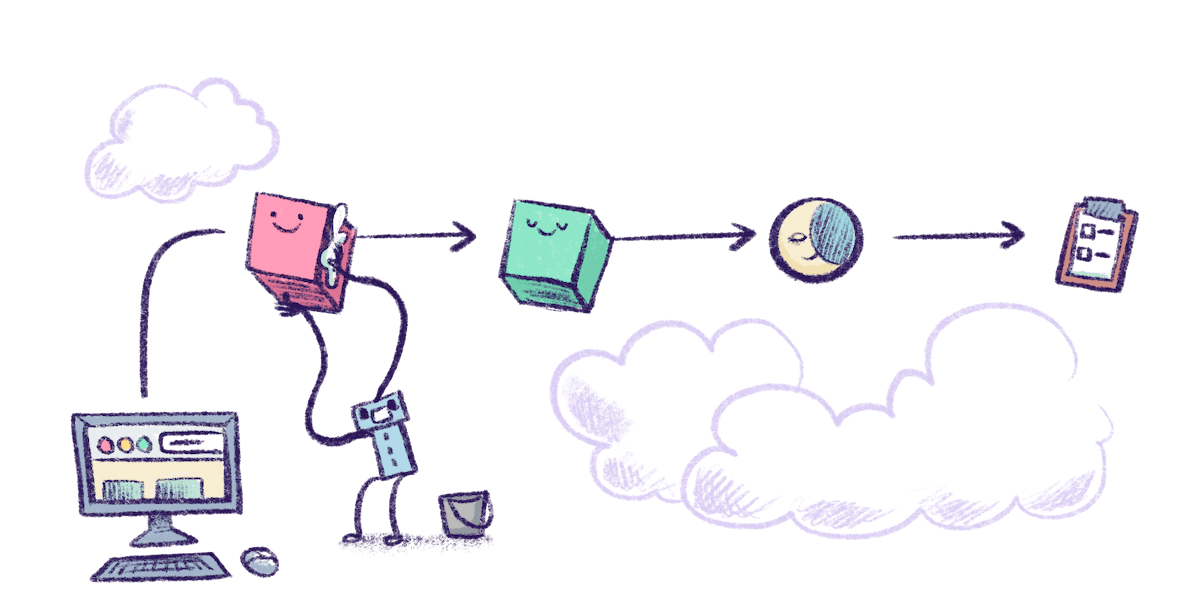
Some things just take a while. Generating a PDF. Calling a slow third-party API. Running a machine learning model. Sending an email newsletter, and retrying if the mail server flakes out. Whatever the reason, if your web app is sitting around waiting for that work to finish, you’re doing it wrong. Not just in the “inefficient” sense—but in the “your app will time out and confuse users and make debugging miserable” sense. Instead, you should offload that work to a background worker. This isn’t a new idea. The pattern’s been around forever, often called a work queue, job queue, or task queue. Here’s the gist:- The web app gets a request.
- Instead of doing everything right away, it drops a job onto a queue.
- A separate process—called a worker—pulls jobs from that queue and handles them in the background.
Why use a work queue?
- Responsiveness: Return HTTP responses instantly. Let workers take their time.
- Scalability: Scale web servers and workers independently. No need to waste compute on idle async calls.
- Retries: Jobs can fail and retry cleanly, without blocking a request or annoying a user.
- Cost efficiency: With Fly Machines, you only pay for worker time while the job is running.
- Persistence: Jobs don’t care if a user closes their browser tab. Work still gets done.
Redis and Valkey
Most of the tools in this guide use Redis as a message broker—a fast, in-memory data store that’s great for short-lived messages and task queues. If you’re deploying on Fly.io, we recommend trying Valkey, a fork of Redis with a more active community and governance model. You can set up a Valkey cluster without needing an Enterprise license. It works the same way but gives you more flexibility and long-term stability. You can deploy either Redis or Valkey yourself or use a managed service like Upstash Redis.Option 1: Celery (Python)
Celery is a full-featured distributed task queue commonly used with Django and Flask.How it works
- Your app enqueues a task to a message broker (Redis or RabbitMQ).
- A worker process picks up the task from the queue and executes it.
- Task results can optionally be stored (e.g., in Redis or your database).
Setup
Install the basics:celery.py:
@shared_task for defining tasks:
Deploying to Fly.io
Usefly launch to generate config and add Upstash Redis.
Update fly.toml:
Region tip: Put your Redis instance and workers in the same region (e.g.
ord, fra) to avoid unnecessary latency and weird race conditions.Option 2: On-Demand Workers with Fly Machines
You don’t always need a persistent queue and worker pool. For low-frequency or one-off jobs, you can spin up a Fly Machine per task.How it works
- Your app writes a job (params, metadata) to Redis/Valkey.
- It calls the Fly Machines API to spin up a temporary worker.
- The worker reads job data from Redis, runs it, and writes back the result.
- Your app polls Redis to check status and fetch results.
- You shut down the machine and clean up.
Option 3: BullMQ (Node.js)
BullMQ is a Redis-backed queue system for Node.js apps. It works similarly to Celery:- Your app enqueues jobs to Redis/Valkey.
- Workers pull jobs and execute them.
- You get features like retries, rate limits, job delays, and concurrency control.
fly redis create.
Scale workers as needed based on job load and machine size:
Other Options
If none of the above tools fit your stack or mental model, there are plenty of alternatives:- Sidekiq (Ruby): The de facto standard for background jobs in Ruby and Rails apps. Redis-backed, battle-tested, and fast.
- Oban (Phoenix) A robust background job processing library for Elixir
- RQ (Python): A simpler, more lightweight job queue than Celery, great for smaller projects or simpler needs.