

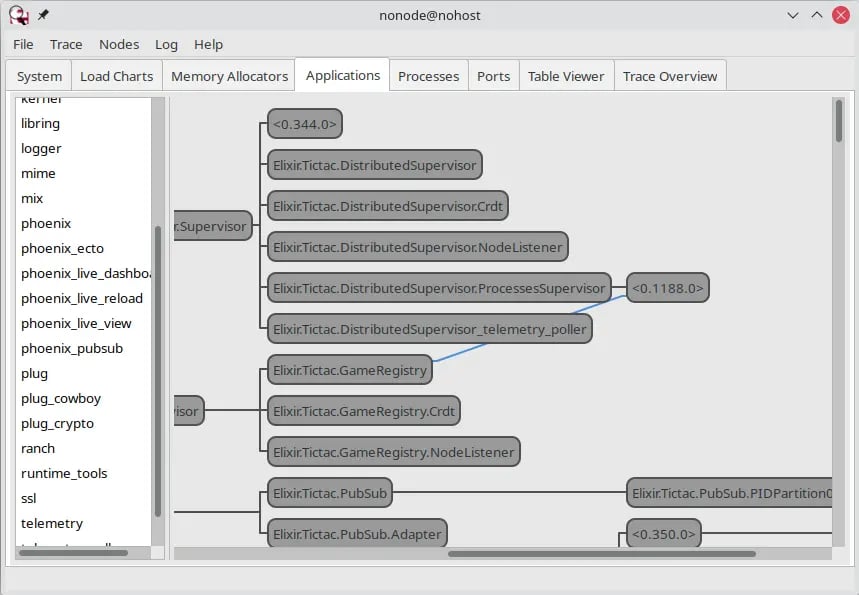
What We Will Do
Fly.io natively supports WireGuard, Jason Donenfeld’s amazing VPN protocol. If you’ve ever lost hours of your life trying to set up an IPSec VPN, you’ll be blown away by how easy WireGuard is. It’s so flexible and performant that Fly uses it as our network fabric. And it’s supported on every major platform, including macOS, iOS, Windows, and Linux. What that means for you is that if your app runs on Fly, you can open a secure, private, direct connection from your dev machine to your production network, in less time than it took me to write this paragraph. Cool, right? This is what we’re going to do.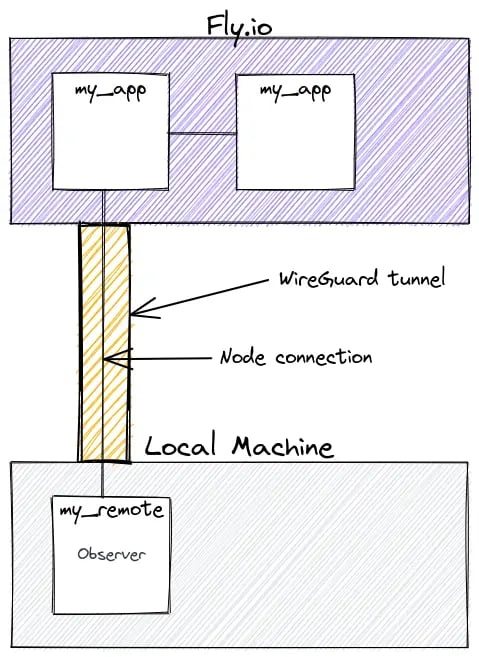
my_app Elixir nodes clustered together running on Fly.
From the local machine, we can open an IEx terminal configured to join that cluster of remote Elixir nodes. Our local machine supports running Observer and drawing the UI. We use our local observer to talk to the remote nodes in the cluster!
Let’s do it. This will be fun!
Sharing a Cookie
The deployed servers running on Fly need a predictable, stable, known cookie value used for allowing nodes to join each other to create a cluster. This is required for your local node to be able to connect to the remote nodes. Your local node needs the cookie value too! See this guide on creating a static cookie value in your Elixir project.WireGuard Tunnel
Setup WireGuard on your local machine. Follow the Fly.io Private Network VPN guide to walk through that.Connecting to Production
To make the connection, there are several steps in the process. We’ll create a short script to automate the process for us!Knowing the Cookie
Our script needs to know the cookie value. The easiest way to do this and keep the script generic is to set the value in the ENV. This lets us copy the script unchanged to multiple projects. To help manage project-specific ENV values, I like using direnv. When changing into a directory with an.envrc file, it loads those values into my ENV, when I leave that directory, it unloads them. This means I can set a COOKIE value (or other config) specific to each project and it works great.
You don’t have to use a tool like direnv though. The ./observer script file can be customized to set the COOKIE value explicitly if you prefer that approach. Refer to the full script file here in the comments to see how you can do that.
Script File
This is a bash script to kick off a correctly configured local IEx session, connect a new local node to the remote cluster, and start Observer. Here’s a copy of theobserver script file.
This should work fine on Linux and MacOS. On Windows, if you are using WSL2 then it will work because it’s Linux. Otherwise, refer to the manual steps outlined below.
After creating the file locally, make the script file executable:
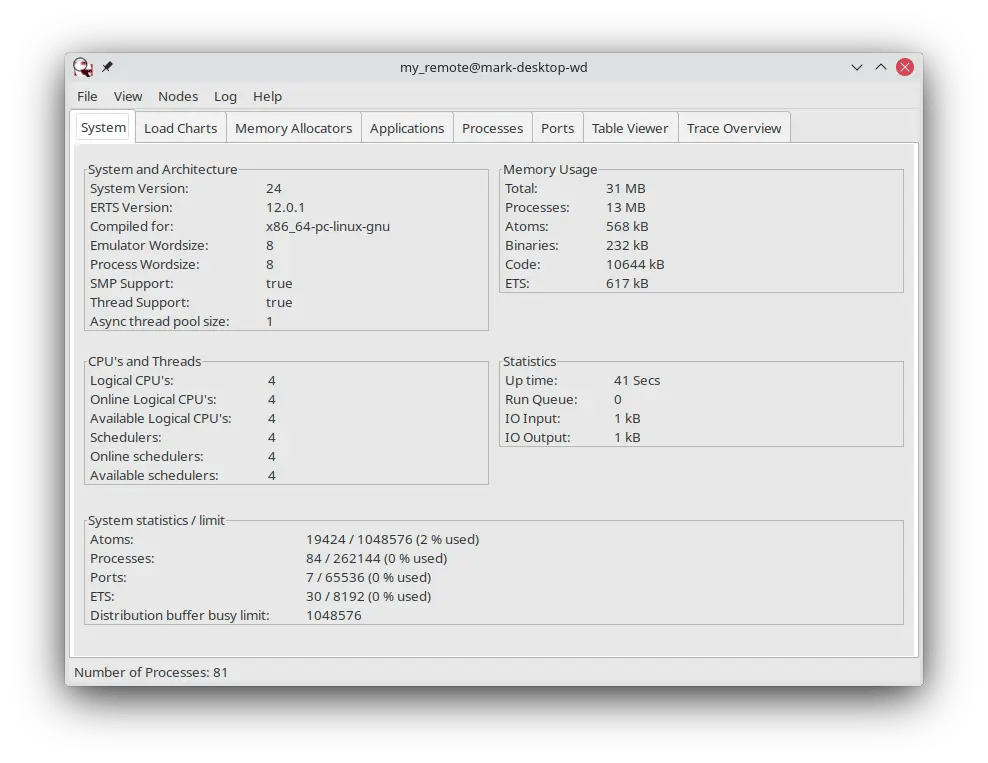
my_remote@...? This means it’s showing the stats of my local IEx node that isn’t actually running any of my code. So this data isn’t very interesting yet.
If everything worked and it’s connected, under the Nodes menu you should see the connected remote node.
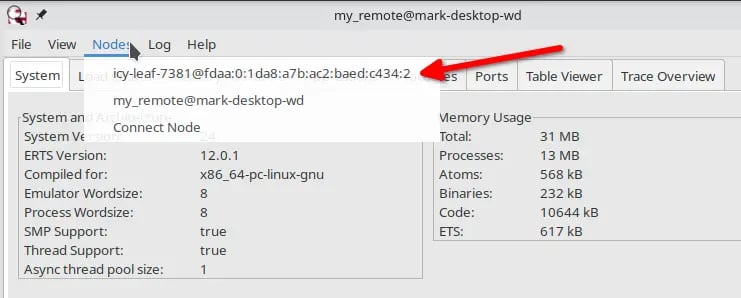
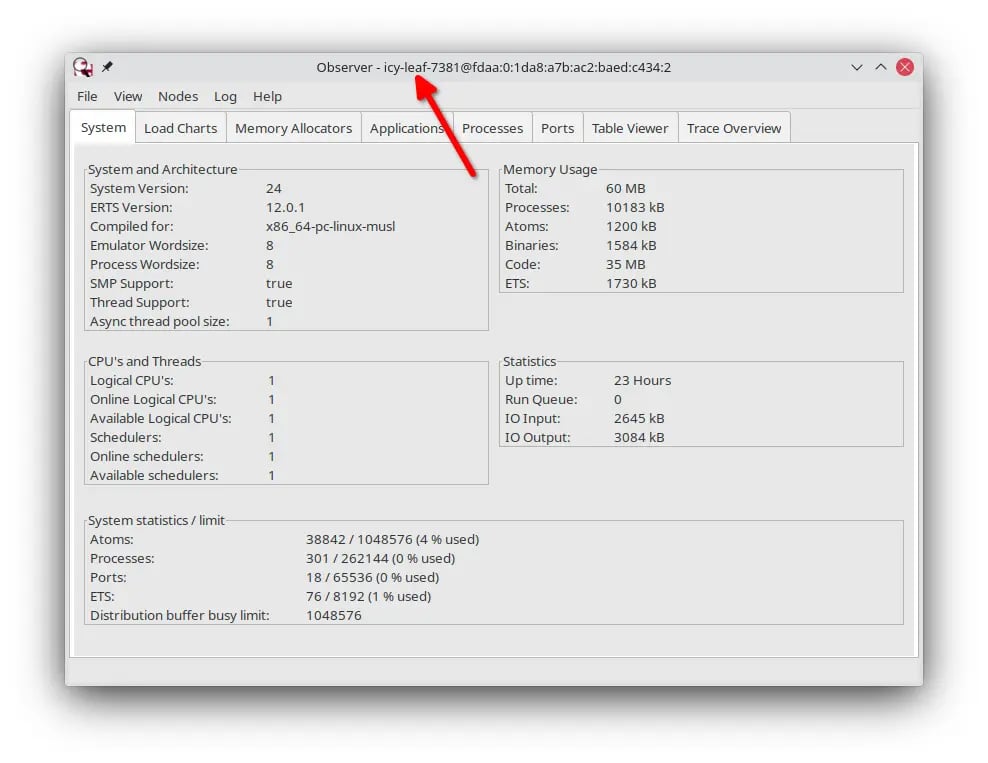
Success!
Let’s review briefly what was accomplished.- I setup a WireGuard tunnel from my personal computer into my private Fly network.
- I started a local Elixir node that shares the same cookie value.
- My local node connected over WireGuard to the production cluster.
- I launched Observer.
Disconnecting
When done, close Observer. It leaves you with an open IEx shell that is still connected to the remote cluster. You can safely CTRL+C, CTRL+C to exit it. At this point you can shutdown your WireGuard connection as well if desired.Tips and Troubleshooting
The script is a simple tool to make it easy to launch observer and connect to the cluster. It doesn’t diagnose or handle all the things that can fail. For instance, if your WireGuard connection isn’t up, it just won’t find the server but it also won’t complain. If you encounter issues, you can go through the manual steps below to help diagnose any problems. In order for everything to work, here’s the checklist overview:- Your wireguard connection must be up.
- Your application defines a release that specifies the cookie value to use.
- The local COOKIE value must be the same as the cookie value used in production.
- Observer needs to be working in your local environment. That requires WxWidget support in your Erlang install.
Networking and the BEAM
Fly.io uses an IPv6 network internally for private IPs. The BEAM needs IPv6 support to be enabled explicitly. That’s taken care of for the server through the Dockerfile. Locally, however, it needs to be enabled as well so the machine running Observer can actually connect to the remote node. The issue is, if IPv6 support is enabled globally, like in a.bashrc file, then setting it in the observer script essentially flips it OFF. If NOT set globally, then it should be set in the script. Choose the version that fits your situation by modifying the script.
It’s the --erl "-proto_dist inet6_tcp" portion.
Example:
--erl option:
Manual Script Steps
If you encounter issues, this can help you diagnose what’s going on. The script automates 4 things.- Getting the cookie value from the ENV - make sure the correct cookie value is either available in the ENV or explicitly set in the script.
- Uses the
fly statuscommand to get the app name, Docker image ref, and the first private IP. This is used to build the fully qualified node name. You only need one IP address. Once you join to any node you are introduced and connected to all of them. - Set up a local node and executes multiple commands.
- It runs a command like
Node.connect(:'APP_NAME-IMAGE_REF@IPv6_ADDRESS')to connect to the remote node. It returnstruewhen it succeeds orfalsewhen it fails. The app name and the IP address used to make up the node’s name are assembled from the previous steps. - Launch observer with the command
:observer.start. If this fails, check the other tip for WxWidgets.
YOUR-COOKIE-VALUE value, the FULL_NODE_NAME.